


Adding recorded video/audio to a message
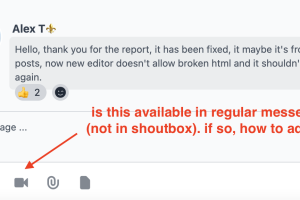
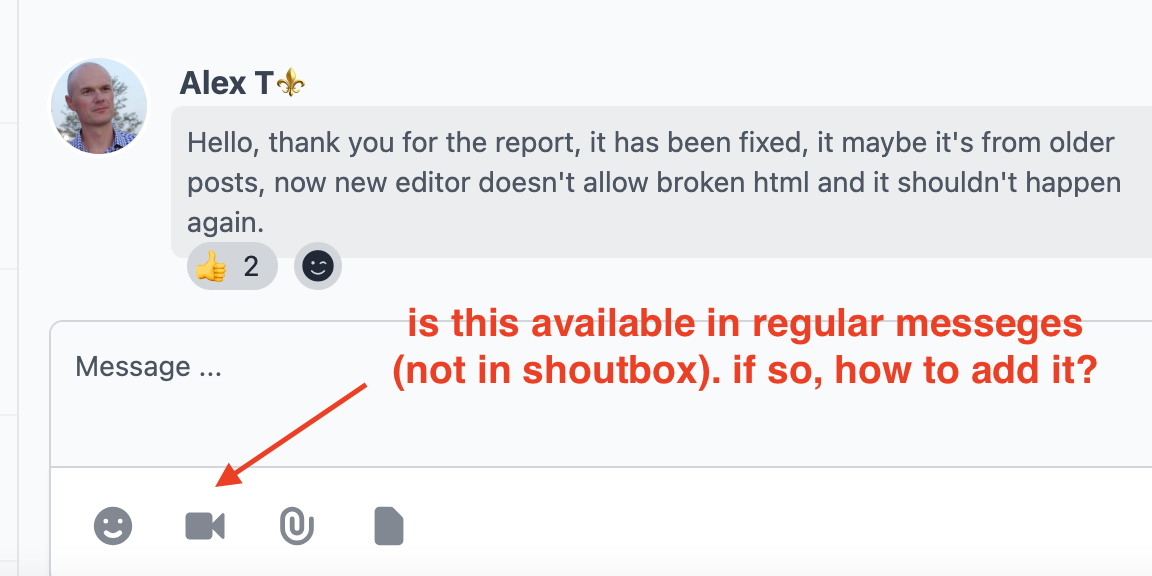
Can we add a recorded video (or voice message) to a message (see attached example).
-
Hello!
Yes, this option is available by default for all types of talks. You can disable/enable this option for any membership level. It is possible to do it via studio->permissions->Messenger Video Recorder action.
Also if you are admin or talk's owner, you can use Settings option from right top menu of the talk. It allows to disable Video recorder for special talks for all its participants even they are have permission to create video records.
-

thank you so much! Appreciate your help @Alexey
-
Thanks @Alexey Well, I have all these permissions for messenger and still not able to see that video recording option on messenger..(see images please)...
-
Hello!
Check please this option also.
-
Thanks again. That options does not exist in current version of Messenger we are using. Please see a screenshot from messenger
-
Looks like you are trying to find Settings option in wrong place. You should check right top corner of the messenger block. Check please my first image from previous message. You should be logged as admin to your site to see the all options of the messenger block.
-

navigation-items-messenger-talk menu ... u have everything on?
-
Im in that block but that menu for some reason is not showing (please see attached)....
I can send you my access via PM to check yourself...
-
Thank you so much! ..If this is what you mean in Navigation, it is on (am administrator)
-
The 2 user levels are admin and moderator (and I am an admin)
-
Looks like there is some problems with template, because there are no headers of the blocks on your image. Headers are under the top menu. That is why you don't see the options.
Try please to enable Artificer template for example, to check if the top of the block will appear.
-
Artificer template already active (see image)...
-
you don't use something in injection?
-
No. Nothing in injection.
-
uncheck stretched header
-
I did. No changes.
-
BTW, in shoutbox that options is already checked (see image), yet, cannot add video:
-
then I can only think of which version you are using Tailwind build..when I turn it on Tailwind.max.css , I have almost the same problem as you..everything is displayed incorrectly
-
Not sure what "Tailwind build" version is. Can you clarify? I am using the most updated version in Una 13.
-
-
I also have a clean install of version 13--developer-settings-scroll down and find Active Tailwind build
-
watch the video how it is set up if you accidentally deleted or changed something
-
Mine is setup pretty much similar to yours. As in the video. I also, did have a clean Version 13 UNA install..
-
Hello!
I've sent you direct message via Messenger.
-
I appreciate it if anyone can help with this issue. It looks like when people use Windows system can see the camera but on my Mac based systems (Mac, iPhone, ..etc) I don't see them, we did everything including clearing browser and all recommendations suggested by UNA team.
-
The new version of messenger fixed this issue and now I see the video icon. Thanks @Alexey and the team!!

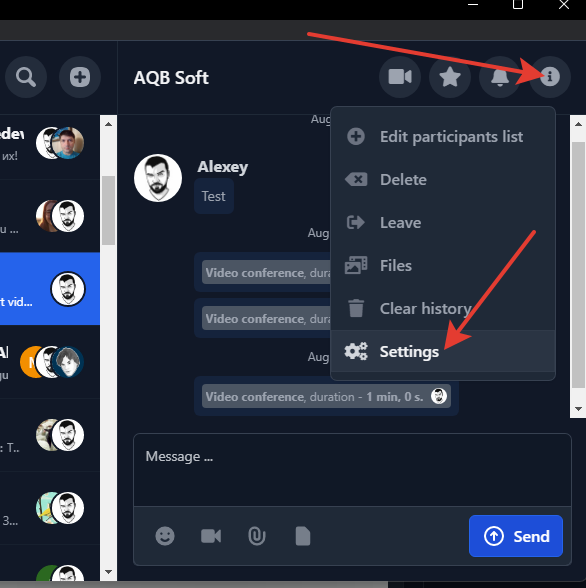 2023-08-23_10-17-25.png
 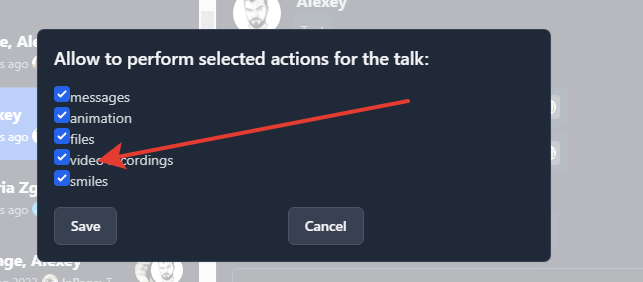 2023-08-23_10-19-13.png