


Timeline Emojis
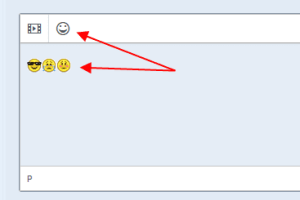
Is there a way to make timeline Emojis a little larger?
-
Hello John Curtis !
For the "post" mode you need to correct font-size for the .gray-theme.fr-box.fr-basic .fr-element CSS class. For the "view" mode (already posted) you may edit the .bx-tl-item-text .fr-emoticon settings. Both changes can be added via Studio->[your template]->Styles->Custom Styles area.
-

Thank you LeonidS . I know nothing about css. Could you please give me the css to add to the Custom Styles area? For (Already posted)
-
You need to place there something like:
.gray-theme.fr-box.fr-basic .fr-element {
font-size: 18px;
}
and
.bx-tl-item-text .fr-emoticon {
font-size: 18px;
}
Then clear the cache in the Studio->Dashboard->Cache area.
-
Thank you but that didn't work. I also cleared the cache in browser.
I added this to the end of Custom Styles area.
.gray-theme.fr-box.fr-basic .fr-element {
font-size: 18px;
}
.bx-tl-item-text .fr-emoticon {
font-size: 20px;
}