


files not going into wasabi
I set up wasabi and not all files are going into wasabi. I uploaded about 8 photos in the timeline, but my wasabi bucket only has 3 photos. The 3 photos are as files, not jpg. Do I need to set up wasabi storage when I first install una? I think it used to be like that, but is it still like that?
-

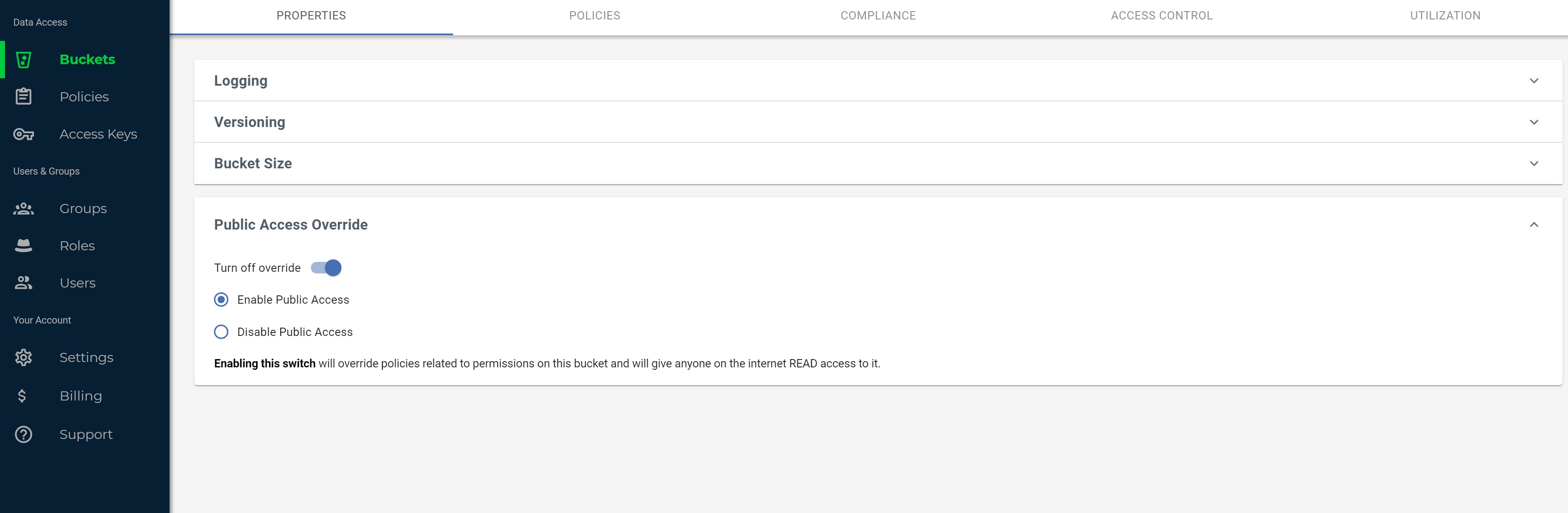
I am confused. Am I supposed to set the bucket to public like in this photo?
-
Hello Genesis !
Please specify this part: " Do I need to set up wasabi storage when I first install una? " Yes, if you setup Wasabi then it will "take control" the files of your UNA right after that moment.
-
Do I need to set the bucket as public like in the photo in posted or can it stay private?
-

I have this question too. I’m using Wasabi and need to know if the bucket works when set as private or if I need to make the bucket public to allow UNA to read and write the bucket’s contents.
-
Uploaded files should be already marked as private or public individually. However if you migrate existing files to Wasabi (or other s3 storage) then you need to mark all files as public. Anyway you can try without setting it as public and if it doesn't work then try to set it public.
-
I tried wasabi using a private bucket and it doesn't work. It needs to be set as public, but when I share "me only" and private photos, they are publicly accessible by visiting the .jpg url. How do I make them private?
-
I've only had luck using public buckets. It seems private buckets can't be accessed by the server with UNA deployed.
 wasabi una confused.jpg