


Agents: assistants
Assistants are AI-powered chat agents that can be configured to serve specific roles across your UNA site. They can be embedded in various locations to interact with users or operators.
In Agents > Assistants you can create assistants for different purposes to be used in Studio Helpers, the Ask AI block, and/or Ask AI in Live Search. Created assistants can be assigned to different chats in Studio > Agents > Settings > Usage.
Creating a New Assistant
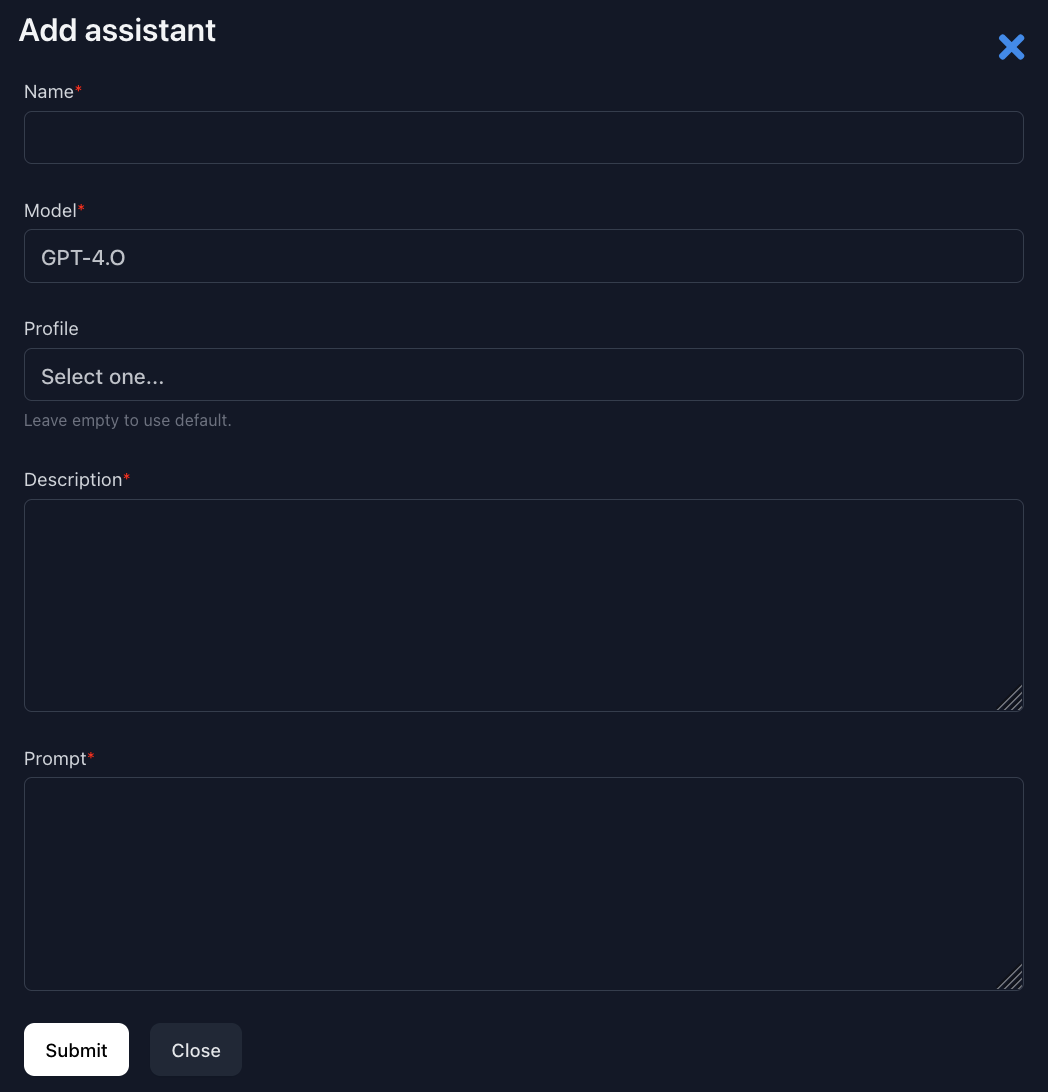
- Name - name of the assistant
- Model - AI model to use
- Profile - profile to act as the assistant's representative in chats
- Description - assistant description, informational for Operators
- Prompt - it is the most important field — it defines how the assistant behaves, what it knows, and what it should or shouldn't do.
Assistant Actions
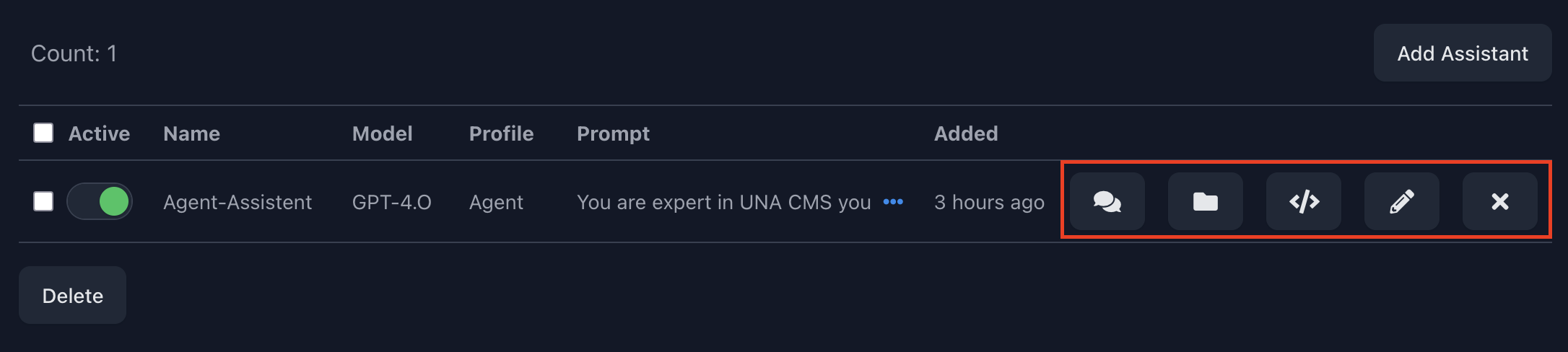
- Chats - all chats created in the Ask AI block, Live Search, or Studio Helper
- Files - additional knowledge for the assistant as files or chat transcripts; this allows the assistant to search through your documents when answering questions.
- Get Codes - HTML embeds to insert anywhere on the UNA site; can be used as a link or button. Upon clicking, users can add additional knowledge for the assistant. For example, it can be used by site admins to provide additional knowledge directly from the site.
- Edit - edit the assistant; typically used to update the Prompt to adjust the assistant's behavior.
- Delete - delete the assistant.
Assistant Chats
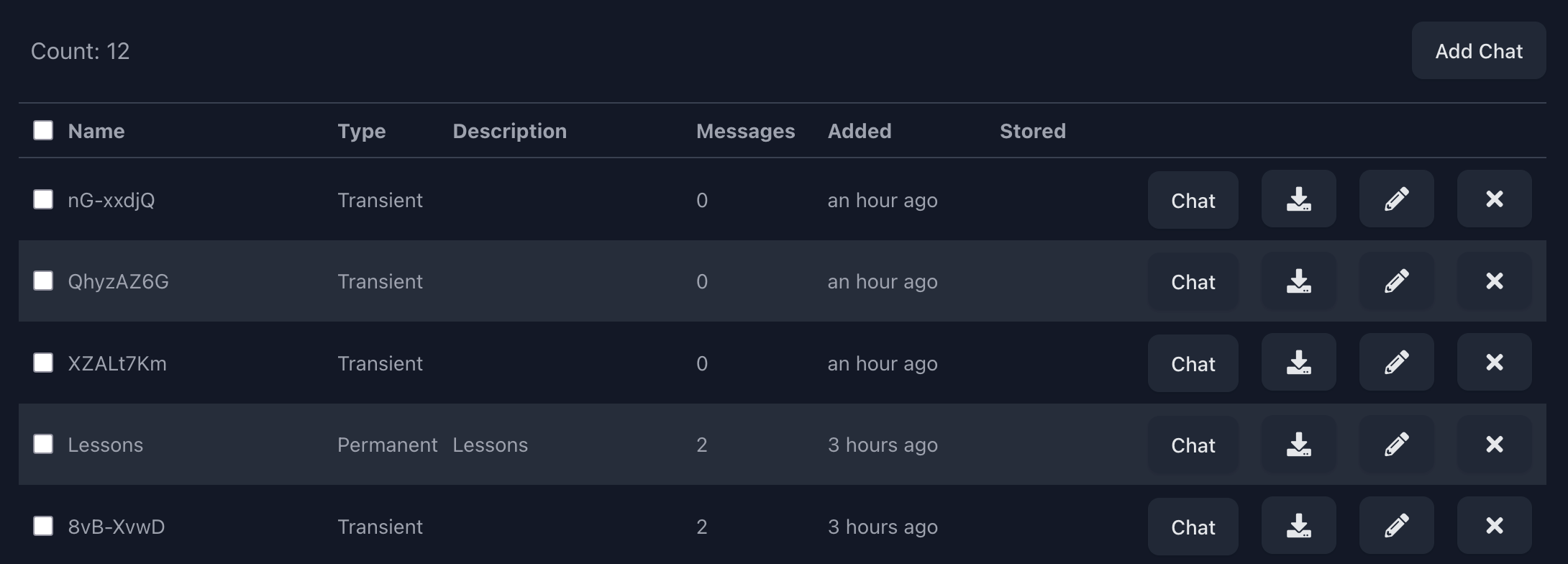
You can manage all of the assistant's chats here, and add new chats as well. Transient chats are chats that will be deleted daily (if this option is enabled).
Chat Actions
- Chat - open and continue the chat
- Store for Future Use - saves the conversation transcript as base knowledge for the assistant; stored as a new JSON file in the Files section of the assistant.
- Edit - rename the chat; most useful for permanent chats.
- Delete - delete the chat. If the chat transcript was uploaded as knowledge for the assistant, it remains untouched.
Tip: Building an Assistant's Knowledge Base
The recommended workflow for feeding an assistant custom knowledge is:
- Open a permanent chat with the assistant
- Send messages containing the information you want the assistant to learn (facts, policies, FAQs, etc.)
- Use Store for Future Use to save that conversation as a knowledge file
The transcript is stored as a JSON file in the assistant's Files section and indexed, meaning the assistant can reference it when answering future questions. You can repeat this process as many times as needed to build up a rich knowledge base over time.