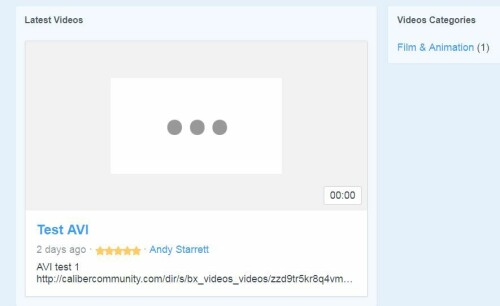
I'm not seeing a post from a few days with my same issue so getting this out there again. No matter the method or file type. Any attempt to load and display videos only result in a blank box and the file size at zero.
I'll go find that and see. I noticed on the dashboard the following as well:
PHP:
memory_limit = 33554432 - FAIL (must be >= 134217728)
disable_functions = exec,passthru,shell_exec,system - FAIL (must be without shell_exec,eval,assert,phpinfo,getenv,ini_set,mail,fsockopen,chmod,parse_ini_file)
Site setup
UNA version = 9.0.0 - OK
Files and folders permissions - please click here to find out if permissions are correct. (Opens blank page)
ffmpeg -
Site optimization
MySQL:
query_cache_size = 0 - FAIL (must be >= 16777216)
query_cache_type = OFF - FAIL (must be strcasecmp on)
UNA:
DB cache = On (File based cache engine) - OK
Pages cache = On (File based cache engine) - OK
Page blocks cache = On (File based cache engine) - OK
Templates Cache = On (FileHtml based cache engine) - OK
"Files and folders permissions - please click here to find out if permissions are correct. (Opens blank page)".
Permissions check opens up a blank page for me too. I don't know why.
Can you raise the php memory limit in php.ini?
disable_functions is also in php.ini. When I tried a cloud server, they automatically disabled the functions and I couldn't change it in php.ini. I had to switch servers. Are you on a VPS or cloud server?



T
Task scheduler (cron, crontab) work correctly? Check the permissions on the file ffmpeg.exe - 755 or 777 (executable) .... /plugins/ffmpeg/ffmpeg.exe
A
I'll go find that and see. I noticed on the dashboard the following as well:
PHP:
Site setup
Site optimization
MySQL:
UNA:
"Files and folders permissions - please click here to find out if permissions are correct. (Opens blank page)".
Permissions check opens up a blank page for me too. I don't know why.
Can you raise the php memory limit in php.ini?
disable_functions is also in php.ini. When I tried a cloud server, they automatically disabled the functions and I couldn't change it in php.ini. I had to switch servers. Are you on a VPS or cloud server?
S
I'm having the same problem, my video does not work
S
Did you solve this problem?
T
ffmpeg - why are you empty?
Should be so:
A
We moved over to a VPS server for chat purposes on the advice of the hosting company.
A
I'll have to get into the control panel and go look at the ffmpeg then as you suggest.
Anyone on a shared server will likely have problems because there is a spike in server resources whenever a video is processed - even a small video.
Videos can be uploaded as Files with no problems. Remote Processing is another possibility, built into UNA.